Auto-detects spends from your bank messages (Android)

Track every expense.
Understand every rupee.

Track expenses, manage budgets, and gain insights with Expensio — the private, offline-first money tracker that logs your spending before you even open the app.

GET IT ONGoogle Play
★★★★★
5.0 rating · Private & offline-first · Made in India 🇮🇳
This Month ▲ 12%
📩
Auto-captured Zomato · HDFC ••4821
−₹486
70%
Budget₹34,200 left
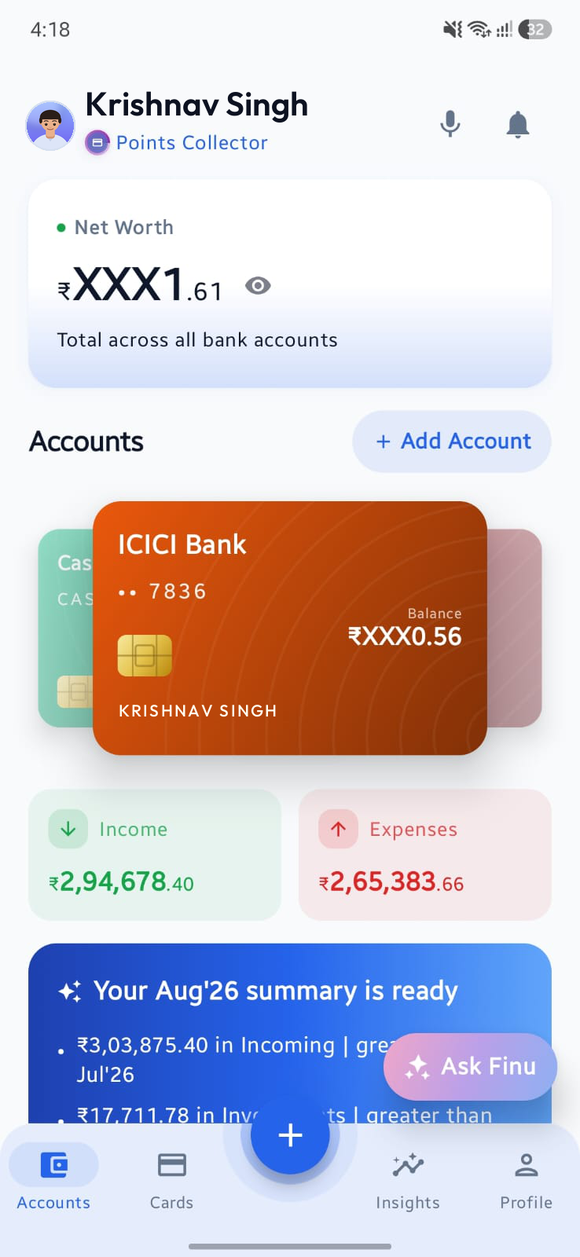
Expensio dashboard showing net worth, accounts and recent transactions
Auto-capture from bank SMS (Android) Credit-card billing cycles EMI tracker Smart budgets Talk to add Siri quick add (iPhone) Expensio AI 100% offline Google Drive backup Multi-currency Auto-capture from bank SMS (Android) Credit-card billing cycles EMI tracker Smart budgets Talk to add Siri quick add (iPhone) Expensio AI 100% offline Google Drive backup Multi-currency
The feature you'll never set up twice

Your bank texts you.
Expensio writes it down.

Every time a debit, credit or UPI notification hits your phone, Expensio reads it on-device — pulling the amount, merchant and account automatically. Recognised accounts are logged instantly; everything else waits as a one-tap confirmation.

This one is Android-only. Apple doesn’t allow any app to read notifications or SMS, so on iPhone you capture a spend by voice or by asking Siri instead.

  • Works with 20+ banks & UPI apps — SBI, HDFC, ICICI, Axis, PhonePe, GPay, Paytm…
  • Smart de-duplication so a spend is never counted twice
  • Reads notifications entirely on your device — nothing is ever uploaded
Try it free
HDFC Banknow

Rs.486.00 debited from a/c ••4821 to ZOMATO via UPI on 12-Jun. Not you? Call 18001234.

parsed on-device
🍔
Zomato Food & Dining · UPI · HDFC ••4821
−₹486
Auto ✓
Everything in one place

A complete money cockpit
in your pocket.

Every piece working together so you always know exactly where your money goes.

Auto-Detect Transactions

Stop typing. Expensio reads your bank & UPI notifications — pulling the amount, merchant and account for you. Recognised accounts post automatically; the rest are one tap. 100% on-device.

Android only. Apple doesn’t let any app read your notifications or SMS. On iPhone you add a spend by voice inside the app, or just ask Siri — no typing either way.
Talk to Add

Just say it — "paid 480 for groceries at DMart on the ICICI card". Expensio hears the amount, merchant, category and account, and drops the entry in ready to confirm. No typing, no menus.

Both platforms. Tap the mic on Android; on iPhone say "Log an expense in Expensio" and Siri takes it from the lock screen, Spotlight or the Action button.

Everything in One Place

Track your real net worth across every bank account, cash wallet, UPI and credit card — not just one pile of expenses.

Smart Credit Card Tracking

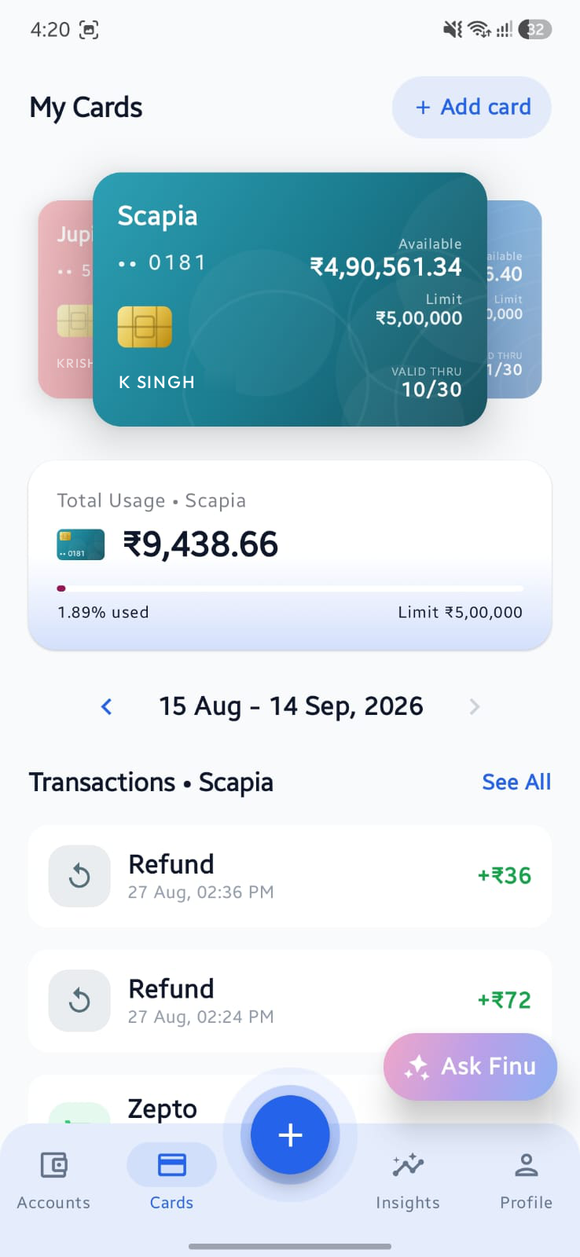
Follows your actual billing cycle — not the calendar month — with utilisation %, available credit and bill-due countdowns. Even scan a card with your camera to add it.

EMI Tracker

Split a credit-card purchase into an EMI plan and track every installment — paid, due and remaining — automatically.

Budgets That Actually Help

Overall and per-category limits with alerts at 80% & 100%, smart suggestions and month-over-month comparisons — so you course-correct before overspending.

Powerful Insights & Reports

Spending trends, category breakdowns, fixed vs. variable, monthly summaries, savings goals and exportable PDF statements.

Ask Expensio AI

A built-in AI assistant that answers questions about your money — "How much did I spend on food this month?" — using your real data, privately.

Private by Design

Fully offline, no ads, no tracking, no selling data. Optional App Lock (fingerprint/face) and encrypted Google Drive backup you control. Card numbers & CVVs are never stored.

Multi-Currency

Track in ₹ and view in USD, EUR, GBP and more — every amount converted at live exchange rates.

Home-Screen Widgets

See your balance and latest transactions at a glance — and log a spend in one tap — straight from your home screen, without even opening the app.

Android only for now. Widgets land on iPhone in a later release.

Quick Add from the Icon

Long-press the Expensio icon on your home screen and go straight to Quick Add, Add Income or the voice capture — the spend is logged before the app has finished opening.

Android only for now. On iPhone, Siri fills the same gap — ask it from the lock screen and you never touch the icon at all.

A look inside

Designed to be looked at
every single day.

Swipe through the screens — pixel-faithful to the real app.

Home dashboard with net worth and accounts
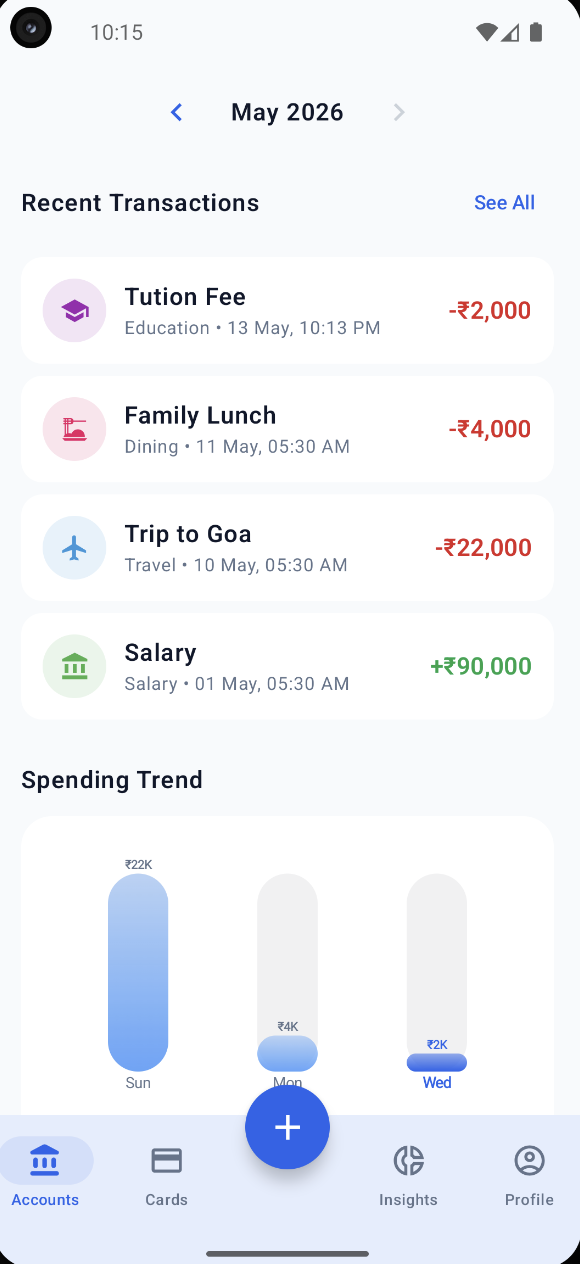
Recent transactions and spending trend
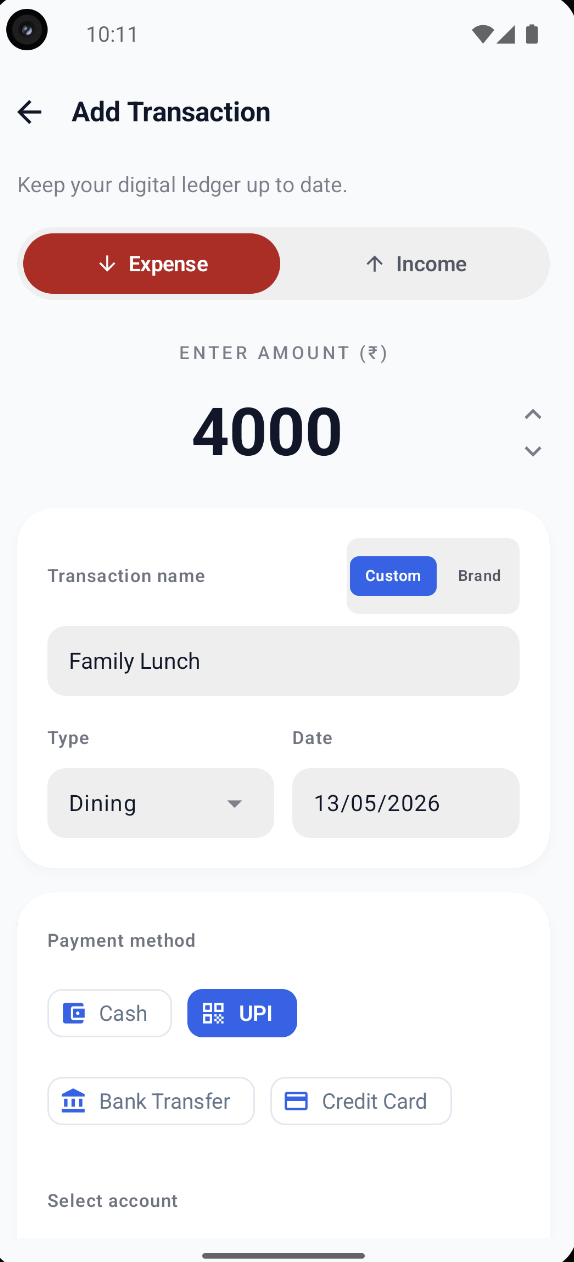
Add transaction screen
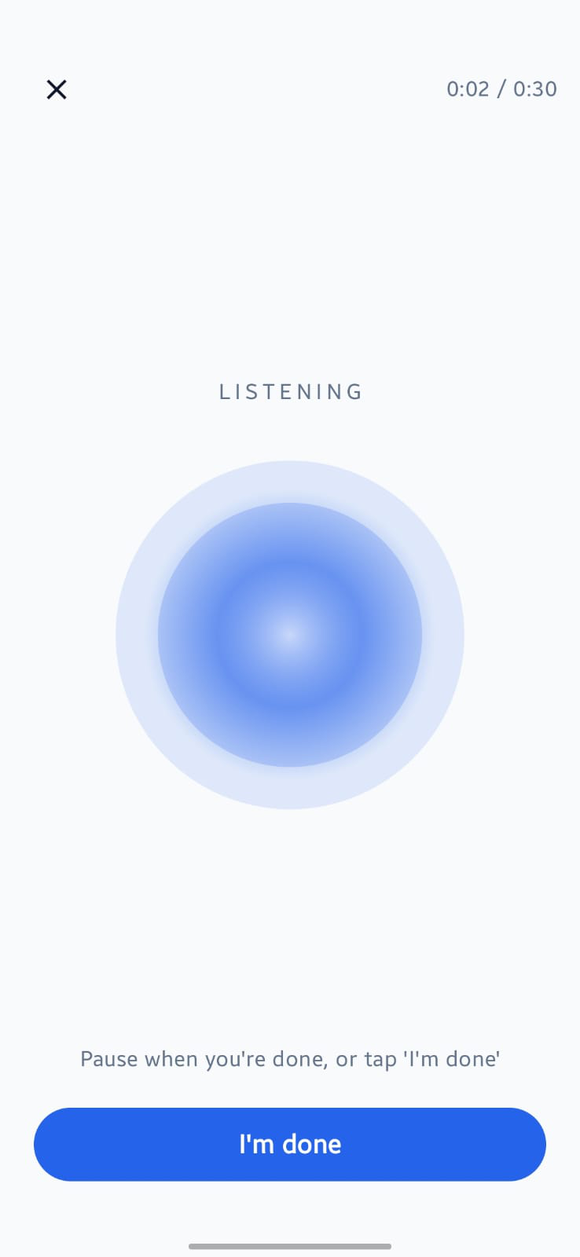
Voice capture screen listening for a spoken transaction
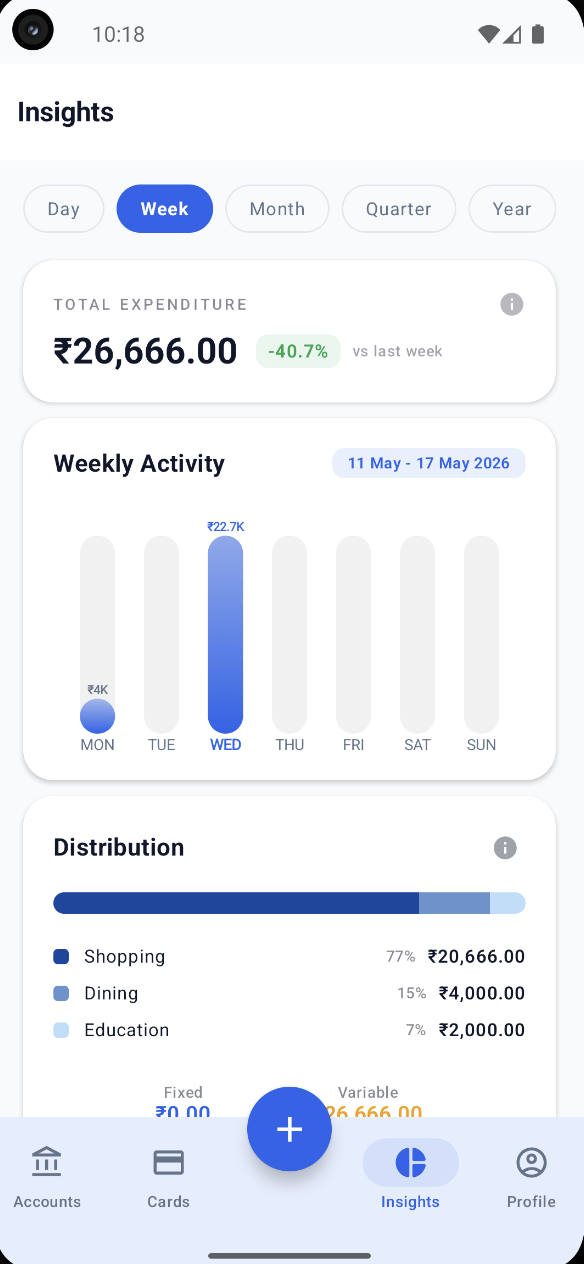
Insights and analytics with charts
Credit cards and EMI tracking
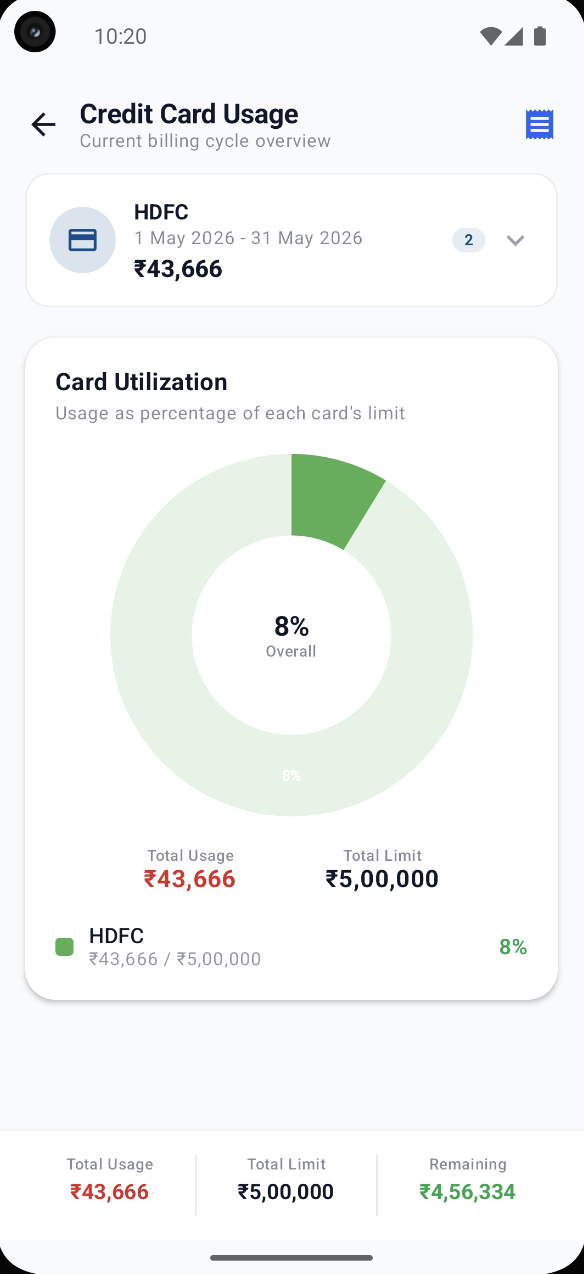
Credit card usage and billing cycle
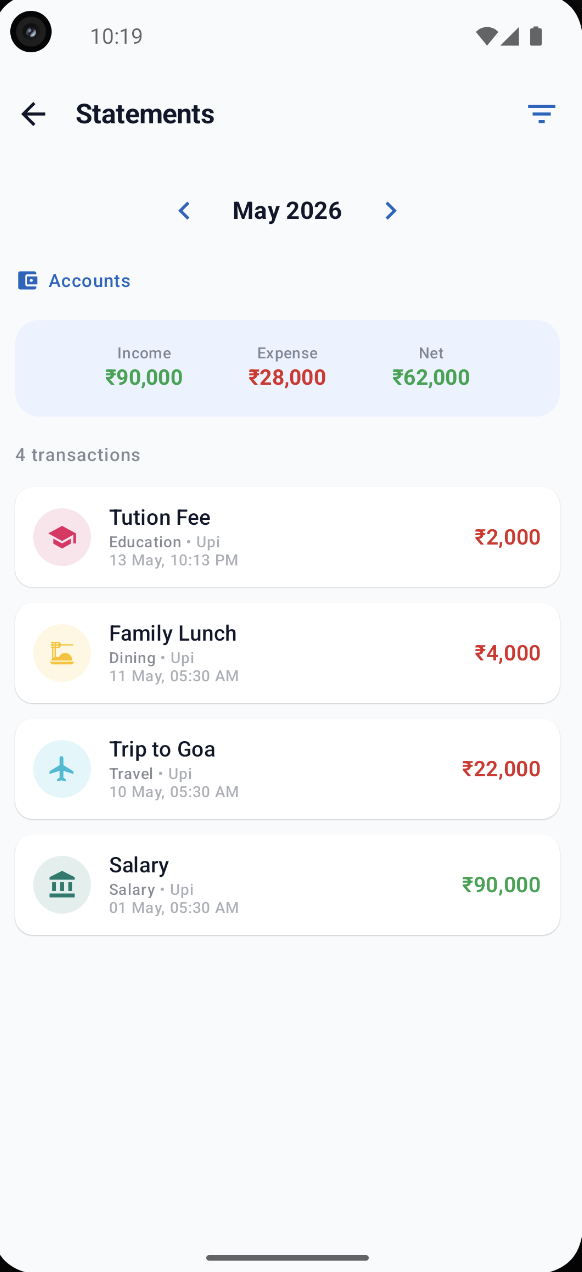
Statements screen with filters
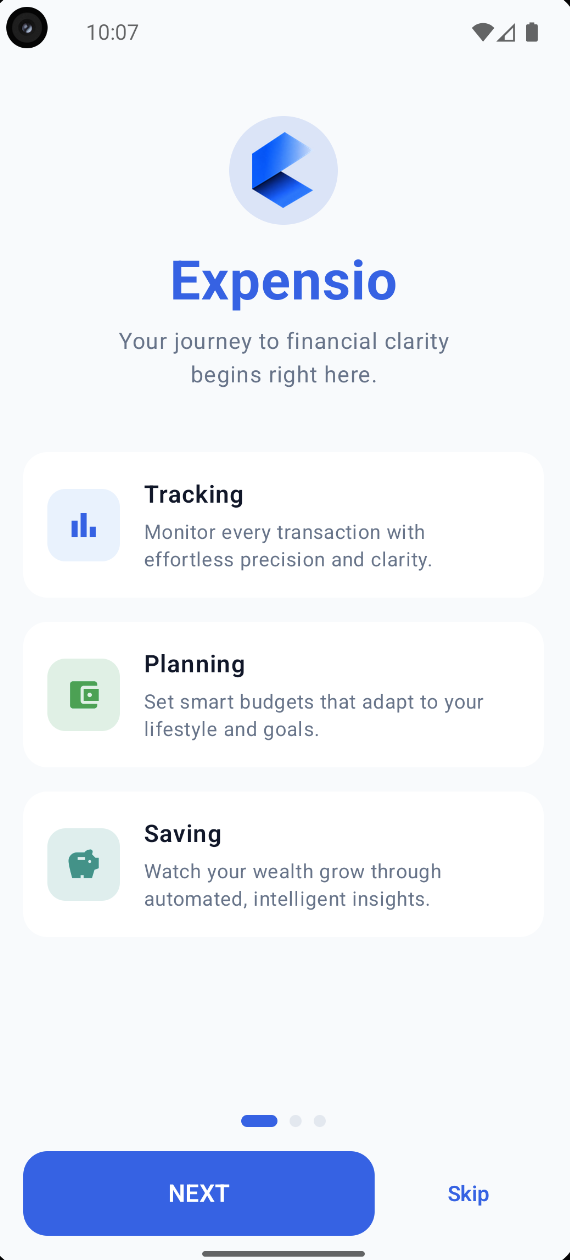
Onboarding welcome screen
Dashboard & Net Worth
Why Expensio

Money software that respects
your time and your privacy.

01

Radical simplicity

No spreadsheets, no friction. A clean, spacious interface puts the number that matters — what's left — front and centre. Adding a transaction takes one tap; most are added for you.

Add transaction in seconds
02

Built for speed

Fully native on each platform — instant cold starts and charts that animate at 60fps. On Android, two home-screen widgets and an app-icon shortcut let you log a spend without even opening the app; on iPhone, Siri does the same in a sentence.

⚡ Instant
03

Privacy by design

Expensio is offline-first. There are no ads, no third-party trackers and no analytics SDKs. Your finances stay on your device, encrypted in an optional backup only you control on your own Google Drive.

No trackers · No ads
04

Real financial awareness

Credit-card billing cycles, EMI plans, brand-level spending and month-over-month comparisons give you the full picture — not just a pile of receipts. You see patterns you'd otherwise miss.

Insights with weekly activity and distribution
05

Better spending habits

Credit-card utilisation alerts, EMI tracking and clean monthly statements keep you ahead of every bill — turning tracking into lasting habits and, eventually, real savings.

Credit card usage and billing cycle overview
100% Privacy-First Architecture

Your financial blueprint
in your control.

Tailored with zero cloud vulnerability. Expensio is engineered offline-first by default, ensuring your transaction & bank credentials never leave your physical device.

🗄🔄 On-Device SandboxEncrypted Vault Synchronization

No data packets ever cross the physical radio.Zero centralized servers. Locked via client-side keys.

Offline SecureEnd-to-End Crypto
Your Device SQLite DB
NO RADIO OUT
E2EE TUNNEL
Cloud StorageGoogle Drive UnreachableYour Vault
Simulated Security Logic Logs RUNNING

> [INITIALIZED] Sandboxed SQLite core interface.

> Parsing ICICI / HDFC local inbox messages…

> STATUS: 100% On-Device storage locked. zero network outbound logged.

> [E2EE GENERATED] AES-256 client master password hash created.

> Authenticating to Private Google Drive application folder via OAuth…

> STATUS: Databases synced safely. Encrypted blocks written securely!

By the numbers

Small, fast and honest.

Real numbers from a privacy-first app in its early days.

0 Pro Features

Premium-grade tools in a free app — budgets, cards, EMIs, AI & more

0 Average Rating

100% perfect score across all 4 organic reviews

0 Cold Boot Latency

Built in lightweight native code; starts instantly

0 User Data Collected

Stored in physical device memory; zero cloud trackers

Always improving

Release timeline

A steady drumbeat of features, polish and fixes.

  1. v2.4.0Active LatestAug 9, 2026

    Talk to Add, Family Spending & Safer Backups

    • New Talk to add a transaction — just say something like "Spent ₹50 on chai" and it's logged automatically.
    • New Family Spending — tag transactions to family members and see spending broken down by who it was for.
    • Improved Profile: Google Drive backups are now safer — daily backups kept for 7 days, with a picker to restore from any of them, plus a new "Import from File" option.
    • Fixed An issue where reinstalling the app could skip login and show stale data.
    • Fixed Various bug fixes and improvements.
  2. v2.3.0Jul 9, 2026

    Savings Goals, Identity & Recurring Detection

    • New Savings Goals — set a target and get an adaptive monthly plan.
    • New Expensio Identity — your personalized finance profile.
    • New Recurring payment detection — auto-spot subscriptions & bills.
    • New Share App — invite friends with a QR code or link.
    • Fixed UI improvements and bug fixes.
  3. v2.2.1Jul 1, 2026

    Quick Add & AI Daily Insight

    • New Quick Add — add a transaction in seconds without opening the app. Long-press the Expensio icon, use the Quick Settings tile, or tap the home widget. Pick category, amount and payment source — done.
    • New AI Daily Insight — a Gemini-powered summary now appears on the Insights tab every day, updating automatically as you log transactions.
    • Fixed UI & bug improvements — various interface refinements and under-the-hood fixes for a smoother experience.
  4. v2.1.0Jun 24, 2026

    8 Indian Languages & Free Pro Features

    • New Now in 8 Indian languages — Hindi, Bengali, Telugu, Tamil, Kannada, Marathi, Odia & English. Switch anytime.
    • New Every Pro feature is free for everyone — AI assistant, multi-account, EMIs, budgets & more.
    • Improved Private by design — your data stays on your device, backed up to your own Google Drive.
    • Fixed Polish and fixes throughout.
  5. v2.0.5Jun 9, 2026

    Multi-Currency, App Lock & Insights

    • New Multi-currency — pick your currency and see every amount converted at live rates
    • New App Lock — secure Expensio with fingerprint, face or PIN; locks every time you open it
    • Improved Budgets — cleaner status labels and quicker limit editing
    • Improved Insights — clearer yearly chart and a "See All" view for transactions
    • Improved Refreshed login screen
    • Fixed Bug fixes & UI enhancements
  6. v2.0.4May 26, 2026

    Auto-Updates & Profile Feedback Rating

    • New Smoother updates — the app now keeps itself up to date automatically
    • New Added a quick way to rate Expensio and share feedback right from your profile
    • Improved Performance improvements and minor bug fixes
  7. v2.0.3May 21, 2026

    Cards Overhaul & Global Balances Toggle

    • New Cardholder name + valid-thru fields on accounts & credit cards, shown on the card face
    • New Hide/show balances across the app with one global eye toggle
    • New Edit Account now opens as a bottom sheet, color picker is scrollable
    • Improved Hero card on Profile with photo, name, and email
    • Improved Swipe-to-delete on every transaction list; transaction cards unified to one design
    • Fixed EMI link no longer lost when editing an installment
  8. v2.0.2May 17, 2026

    Tab Layouts, Auto-Backup & Account Filters

    • New New tab layout: dedicated Cards tab + Accounts dashboard
    • New Per-account filtering on Home — tap any account to filter income, expenses, transactions and trends
    • New Per-card billing-cycle view with Available/Limit on every card
    • New Refund/Cashback transactions (separate from Income)
    • New Google Drive auto-backup with explicit 'pick a file' restore flow
    • New Archive accounts (with Undo)
    • New Brand picker for quick transaction entry
    • New Multi-bank SMS auto-capture
  9. v2.0.1May 13, 2026

    Credit Card EMI & Optimizations

    • New Added EMI options for credit card transactions
    • Fixed Bug fixes and performance improvements
  10. v2.0.0May 12, 2026

    Credit Card Refunds & Interactive Insights

    • New Credit Card Refunds — add refund, cashback & reward-point entries for credit cards; usage calculations now account for refunds
    • New Smart Pending Bills — only shows bills that are due, not in-progress cycles
    • New Interactive Insights — tap any bar in the chart to see the spending breakdown for that period; tap again to reset
    • Improved Smoother experience — replaced push notifications with in-app toasts for transactions
On the horizon

What's coming next

A peek at the roadmap we're building toward.

Planned · Q4 2026

Loan Tracker

Track personal loans and borrowings — principal, interest, EMI due dates and repayment progress — separate from your everyday accounts and cards.

Planned · Q4 2026

Tax Planner

Estimate your tax liability, track deductions and tax-saving investments, and stay ready for filing season with a clear year-round summary.

Planned · Q4 2026

Business Profile

Keep freelance or small-business income and expenses in a dedicated profile, separate from personal finances, with its own reports.

Planned · Q4 2026

Encrypted Cloud Sync

Industry-standard AES-256 cloud backup sync across multiple devices without sacrificing physical privacy.

Shipping · September 2026

Expensio for iPhone

The full tracker on iOS, with Siri quick add built in — say "log an expense in Expensio" and it’s recorded. Widgets, icon shortcuts and the web app follow after launch.

Loved by savers

People are talking.

★★★★★
"Excellent app for daily expense tracking. It makes logging transactions so friction free that I'm actually sticking to the habit this time. Seeing my monthly expenses neatly organized is a game changer for my budget."
P
PrafulSoftware Engineer · Bangalore
★★★★★
"One of the best budget planner apps I've tried. The reports and expense summaries are very helpful for understanding monthly spending. Highly recommended for students and professionals."
D
Dr. NibeditaPhD in Sociology · Odisha
★★★★★
"Excellent expense tracker with a clean interface and useful features. Adding expenses is fast, and the reports help me understand where my money goes. Great app for daily expense tracking and savings management."
S
SmrutiSystem Administrator · Kolkata
★★★★★
"Expensio is simple, clean, and super easy to use. It helped me track my daily expenses effortlessly and stay organized with my spending. Highly recommended for anyone looking to manage their finances better! It's fully free with all pro features."
S
SRNTech Lead · Bangalore
★★★★★
"Expensio app works like my guide to spending management. I can better understand where my most unwanted, day-to-day expenses are going, plus it gives me a great overall view of my finances. I am now in better control. Thanks to its makers."
S
Suraj JaiswalContent Writer · Bangalore
★★★★★
"Fast, reliable, and easy to understand. One of the best expense tracker apps I've used."
S
Shivam MittalFull Stack Developer · Ghaziabad
★★★★★
"It is a good app to track daily expenses."
D
Debananda MahapatraMobile Developer · Bangalore
★★★★★
"What makes Expensio stand out from other expense tracker apps is that it isn't just another app for manually adding expenses — it actually helps users manage money intelligently. The feature I liked the most is the automatic SMS transaction detection. Instead of entering every expense manually, the app can detect eligible bank transaction messages and convert them into expense records, which saves a lot of time."
R
Rasmita NayakTeam Lead · Bangalore
Questions

Good to know

How does auto-detecting transactions work?

On Android, with your permission, Expensio reads incoming bank and UPI notifications on your device, extracts the amount, merchant and account, and logs the transaction. Recognised accounts are captured automatically; anything ambiguous waits as a one-tap confirmation. The parsing happens entirely on your phone — nothing is ever uploaded.

On iPhone this isn’t possible — Apple doesn’t let any app read notifications or SMS. Instead you add a spend by voice in the app or by asking Siri, which takes about as long as reading the notification would.

Which platforms is Expensio on?

Expensio is on Android today, and lands on iPhone in September 2026. Everything core is identical on both — accounts, credit-card cycles, EMIs, budgets, insights, backups and offline-first privacy.

Two things differ at iOS launch. Automatic capture from bank notifications is Android-only, because Apple doesn’t permit it — iPhone users add a spend by voice or via Siri. Home-screen widgets and app-icon shortcuts are also Android-only for now, and follow on iOS in a later release.

Is my financial data private and secure?

Yes. Expensio is offline-first with no ads and no third-party trackers. Your data lives in a local database on your device, protected by an optional biometric App Lock. Backups go only to your own Google Drive, and full card numbers and CVVs are never stored.

Does it work without internet?

Completely. Every core feature — tracking, budgets, analytics, cards and EMIs — works fully offline. An internet connection is only needed for optional extras like Google Drive backup and live currency rates.

Is Expensio free?

Yes — the core experience is free, including expense & income tracking, budgets and App Lock. Expensio Pro unlocks unlimited accounts & cards, advanced statistics, PDF statements, custom categories and Expensio AI, with a free trial.

Can I back up and move my data?

Absolutely. Auto and manual backups sync to your own Google Drive, and you can export your full history to CSV or JSON at any time. You own your data, always.

Start Your Financial
Journey Today.

Take control of every rupee — privately, beautifully, automatically.

GET IT ONGoogle Play
★★★★★ 5.0 · Free · Android 8.0+ · iPhone from September
Download